In this tutorial you will learn how to set the article title for page navigation buttons
You will be seeing the below static navigation in the joomla article page.

Once you followed the steps you will be seeing the below navigation with title

Joomla 3 - Page Navigation With Titles - Fix
- Login to the Joomla Admin section.
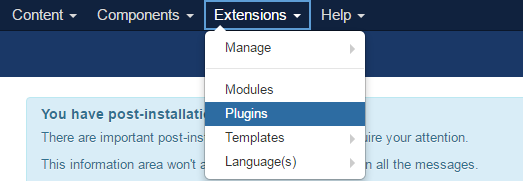
- Roll your mouse over the Extensions option, and click Plugins.
- Search for Content - Page Navigation in the plugin and Click the Content - Page Navigation link.

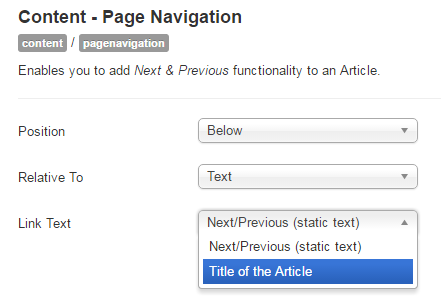
- Now, Click the Link Text dropdown, then select Title of the Article and save it.
 You will see a navigation with article title